Documentation refresh
- Improved
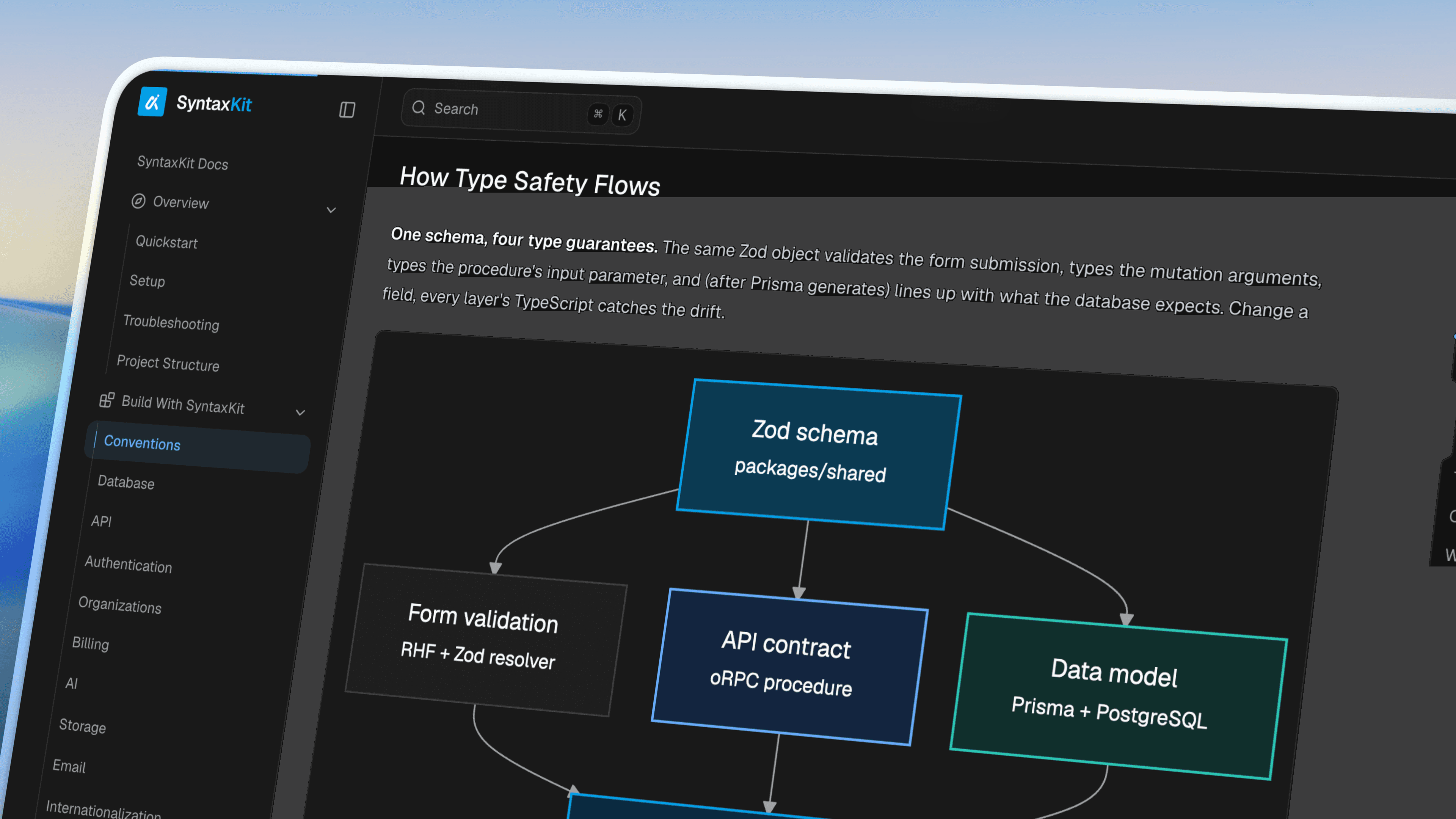
The SyntaxKit docs got a full refresh. Same kit, clearer path through it.
The old docs worked, but they still felt like a template in places: card grids for everything, dense intros, and pages that restated the same catalog in different layouts. This pass brings Overview, Build With SyntaxKit, Operate And Ship, and Reference in line with one guide so every page has the same job and the same calm hierarchy.
What changed
The hub is a door, not a sitemap. The docs index leads with Quickstart and Setup, then quieter feature rows. The full catalog stays in the sidebar.
Overview is action-first. Order is Quickstart → Setup → Troubleshooting → Project Structure. Orientation pages that competed with Quickstart are gone or folded in.
Every guide shares one layout. One description under the title. An On This Page list for real sections. Cards only for “where to go next.” Tables, steps, and FAQ items for the rest.
The writing got simpler. Shorter sentences, less jargon, no filler. Facts were checked against the kit where it mattered: env gating, deploy health checks, webhook reclaim rules, package exports, and the command list.
Diagrams match the product. Auth, API, billing, database, and other flows use branded Mermaid SVGs in light and dark, generated from sources in the repo.
How to read it
If you are starting fresh, open Quickstart. If you already have the kit running, jump into the subsystem you need from Build With SyntaxKit or Operate And Ship.
The reference pages (Commands, Environment Variables, Package Map, FAQ, Glossary) are still the lookup layer when you already know the name of what you want.